Answer Page Dialog
Sets the answer for the page's own message box (a message, a question with OK and Cancel, a box that asks you to type something, or Leave site?) the next time it shows in the tab. Put it just before the step that makes the page ask. Without it, MacroWin answers OK (and Leave). Continues on Out at once, or on Failed when there's no tab.
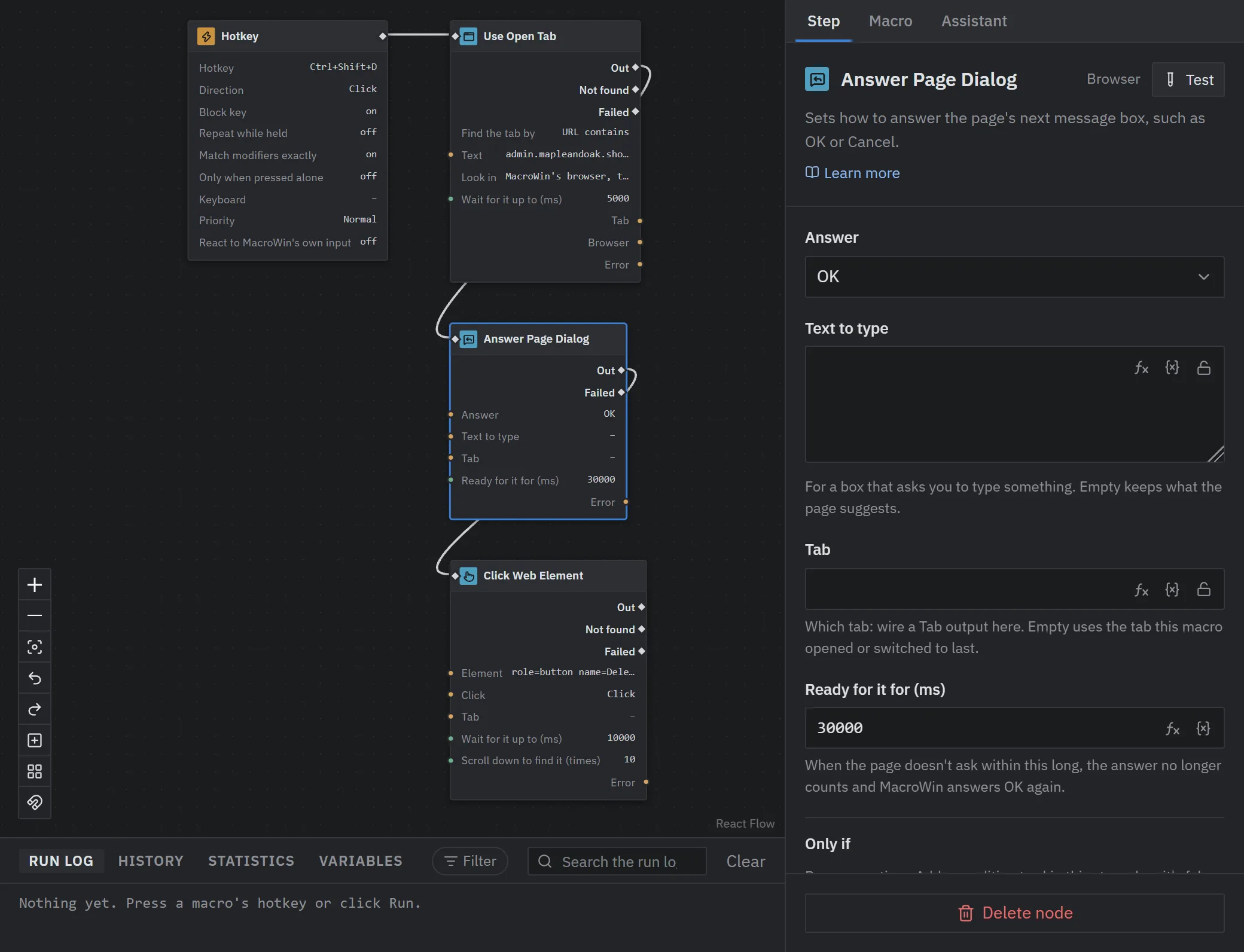
Settings
| Setting | Starts as | What it does |
|---|---|---|
| Answer | OK |
|
Text to type ${} |
empty | For a box that asks you to type something. Empty keeps what the page suggests. |
Tab ${} |
empty | Which tab: wire a Tab output here. Empty uses the tab this macro opened or switched to last. |
| Ready for it for (ms) | 30000 |
When the page doesn't ask within this long, the answer no longer counts and MacroWin answers OK again. |
Settings marked ${} take variables.
Where it continues
- Out at once; the answer waits for the page's next message box.
- Failed when there's no tab, or the tab can't answer the page's message boxes; the reason is in Error.
Outputs
| Error | Why it didn't work; empty when it did. |
|---|
More in Browser: Back, Forward or Reload, Browser Window, Click Web Element